
One terminal engine for the server, the Mac and the phone
Prod keeps agents' terminals on a server and shows them on a Mac and an iPhone. Three emulators disagreed about the same bytes, so we replaced them with one Rust engine that moves its state instead of a picture of it.
On this page · 4 sections
Prod runs coding agents in pseudo-terminals on a server and shows those terminals on a Mac and on an iPhone. For a long time that meant three terminal emulators reading the same bytes. The backend kept state in a vendored Zig VT library, the Mac app drew with that library’s macOS kit, and the phone used SwiftTerm. When a client attached to a running session, the backend rendered its screen as ANSI escape sequences, and the client replayed them into a fresh emulator.
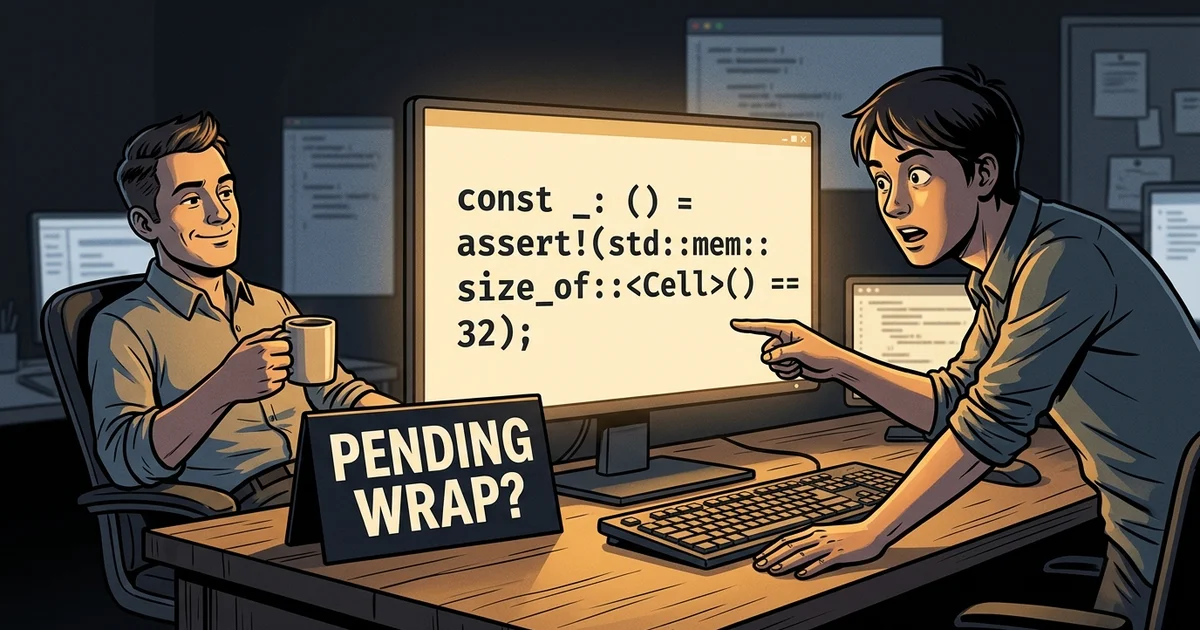
That replay loses things, and one small case shows how. Take a 20x6 terminal and print
twenty x characters. The cursor now sits on the last column of the first row with a
pending wrap: the next character belongs at the start of the second row. The ANSI
snapshot has no way to say “pending wrap”. The restored emulator put its cursor at column
0 of the last row, so the next character landed four rows too low. Every client that
attached mid-session was one such case away from a corrupted screen.
We did not want to fix the snapshot. We wanted one engine that runs in all three places, and a way to move the engine’s state itself, not a rendering of it. That engine is Tako. It is MIT-licensed and public at github.com/alex09x/tako.
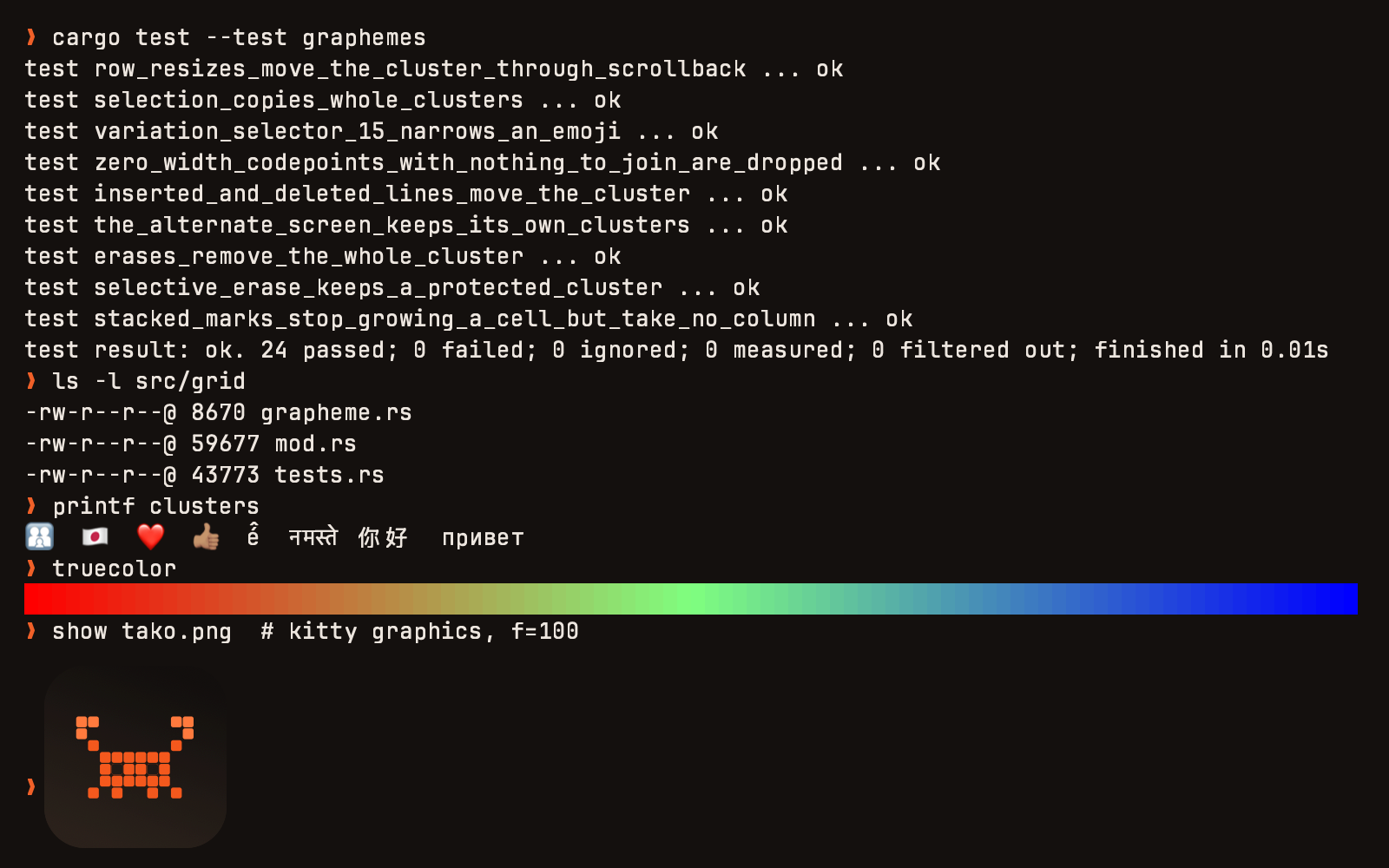
The macOS images in this post are frames Tako itself committed to the screen. The app has a self-test mode that writes the frame its Metal renderer just presented to a PNG, and we use it because the test machine’s ssh session is not allowed to record the screen. The iPhone images are simulator screenshots taken by the app’s UI tests.
What Tako is made of
 macOS app (TakoApp)                       iOS app (iOSApp)
 windows, tabs, splits, quick terminal,    session list, SSH forms,
 AppleScript                               key row, host-key prompts
        |                                          |
        +------------------+-----------------------+
                           |
          TakoCoreUI: TakoTerminalNSView / TakoTerminalView,
          Metal renderer, CoreText fallback, glyph atlas
                           |
                 UniFFI (TakoCore object)
                           |
               tako_core (Rust)                <-- C ABI prod_vt_* (Go backend)
          parser -> terminal -> grid/scrollback
          optional: pty, ssh (russh)
tako_core is the emulator. It is written in Rust, and everything is safe Rust except
the C ABI. It has three layers:
- a parser, a byte-at-a-time state machine for ESC, CSI, OSC, DCS and APC;
- the terminal, which covers modes, cursor, margins, charsets, reports and the kitty protocols;
- a grid with scrollback.
A cell is 32 bytes, and a compile-time assertion keeps it that way:
const _: () = assert!(std::mem::size_of::<Cell>() == 32);It has two doors:
- UniFFI generates the Swift bindings. Swift sees one
TakoCoreobject. - A C ABI,
prod_vt_*, is what our Go backend links as a static archive. That door carries only the functions a headless host needs: feed bytes, resize, export and import a checkpoint, read the screen.
TakoCoreUI is the Swift layer that draws the engine. It provides an AppKit view and a UIKit view on the same Metal renderer, plus a CoreText renderer as the fallback. The host keeps ownership of its transport, whether that is a PTY, a WebSocket or an SSH channel. The view hands it encoded input and resize events through a delegate.
The engine owns every byte sequence a program expects from a terminal. That covers:
- the key encoders: legacy,
modifyOtherKeysand the kitty keyboard protocol; - mouse reports;
- bracketed paste;
- replies to device queries.
A host never builds an escape sequence by hand. The space bar shows why that matters. On
the usual Mac layouts, Option+Space types U+00A0, a no-break space, and a shell cannot split
words on it. The view maps a committed no-break space from the space key back to 0x20,
and a test holds that in place. On the iPhone, the view turns off smart punctuation and
autocorrection. The real software keyboard sends a double space as two 0x20 bytes, not as
“. “.
Moving state instead of replaying it
The fix for the pending-wrap problem is a checkpoint: a versioned binary container holding the engine’s whole state. That means:
- the active grid, the alternate grid and the scrollback;
- modes, tab stops, charsets and saved cursors;
- the pending wrap;
- the parser’s position inside an unfinished escape sequence;
- kitty images;
- since version 3, the host’s palette and the per-colour override flags, and every grapheme cluster.
A fresh engine that imports a checkpoint continues exactly where the exporting one stopped, including halfway through an OSC that arrived in two TCP segments.
Two properties made it safe to put checkpoints on the wire.
Export at the peer’s version. A client and a backend upgrade at different times, so the exporter writes the highest version the importer reads. The C side has one call for that:
/* version 0 = current; outside 2..=3 -> PROD_VT_ERR_UNSUPPORTED_VERSION */
int prod_vt_checkpoint_export3(ProdVt *vt, uint32_t version, uint64_t max_bytes,
                               uint8_t *buf, size_t cap, size_t *out_len);
Import budgets allocations before it makes them. A checkpoint comes from the network. The importer charges every grid, row, string and image against a budget before allocating it, and it rejects dimensions it cannot draw. A corrupt or forged container fails with the destination terminal intact. The container is capped at 64 MiB including its 20-byte header. This week we found the budget did not count the extra codepoints of grapheme clusters. Export predicted one cost and import charged another, and a test comparing the two now covers clusters.
Grapheme clusters were the last piece. A family emoji, a flag or a Devanagari conjunct is
one character on screen and several codepoints in the byte stream. A cell stores its first
codepoint plus a 16-bit index into a per-grid table of the rest. That keeps the cell at 32
bytes, and clusters follow the text through scrolling, reflow, erase and the alternate
screen. DEC mode 2027 and a grapheme-width-method setting decide how wide a cluster is.
Throughput, measured with cargo bench --bench throughput (criterion) on an Apple M3 Pro
under macOS 26.6. The workloads are synthetic byte patterns shaped like real output:
| Workload | What it feeds | Throughput |
|---|---|---|
feed/plain_text |
ASCII lines, like cat of a large file |
253 MiB/s |
feed/sgr_heavy |
truecolor SGR around every word, like a colored build log | 146 MiB/s |
feed/wide_chars |
CJK text, two cells per character | 85 MiB/s |
feed/cursor_heavy |
cursor motion, erase and scroll-region changes, like a TUI repaint | 23 MiB/s |
parser_scan/ascii |
the parser alone, no terminal behind it | 4.9 GiB/s |
resize/reflow_80_to_40 |
rewrapping a full screen from 80 to 40 columns | 38.5 µs |
Drawing it on a Mac and on a phone
The renderer asks the engine for one frame per redraw. FfiRenderFrame carries geometry,
cursor, selection, damage and the packed visible cells, all read under one lock, so a frame
never mixes two moments.
The planner compares each row’s packed bytes with the previous frame and skips the rows that did not change. A mostly static screen costs almost nothing to present. Glyphs come from a CoreText-rasterized atlas: grayscale pages for text, BGRA pages for colour glyphs. A grapheme cluster is shaped by CoreText as one string and stored as one atlas entry, so a ZWJ family is drawn once, not as three people and two joiners.
Scrolling is presented at sub-row precision. A trackpad reports points, most of them smaller than a row. The view keeps the remainder instead of rounding it away, and draws the grid translated by the fraction. The engine packs one extra row below the viewport, so the strip that opens during the translation is always filled.
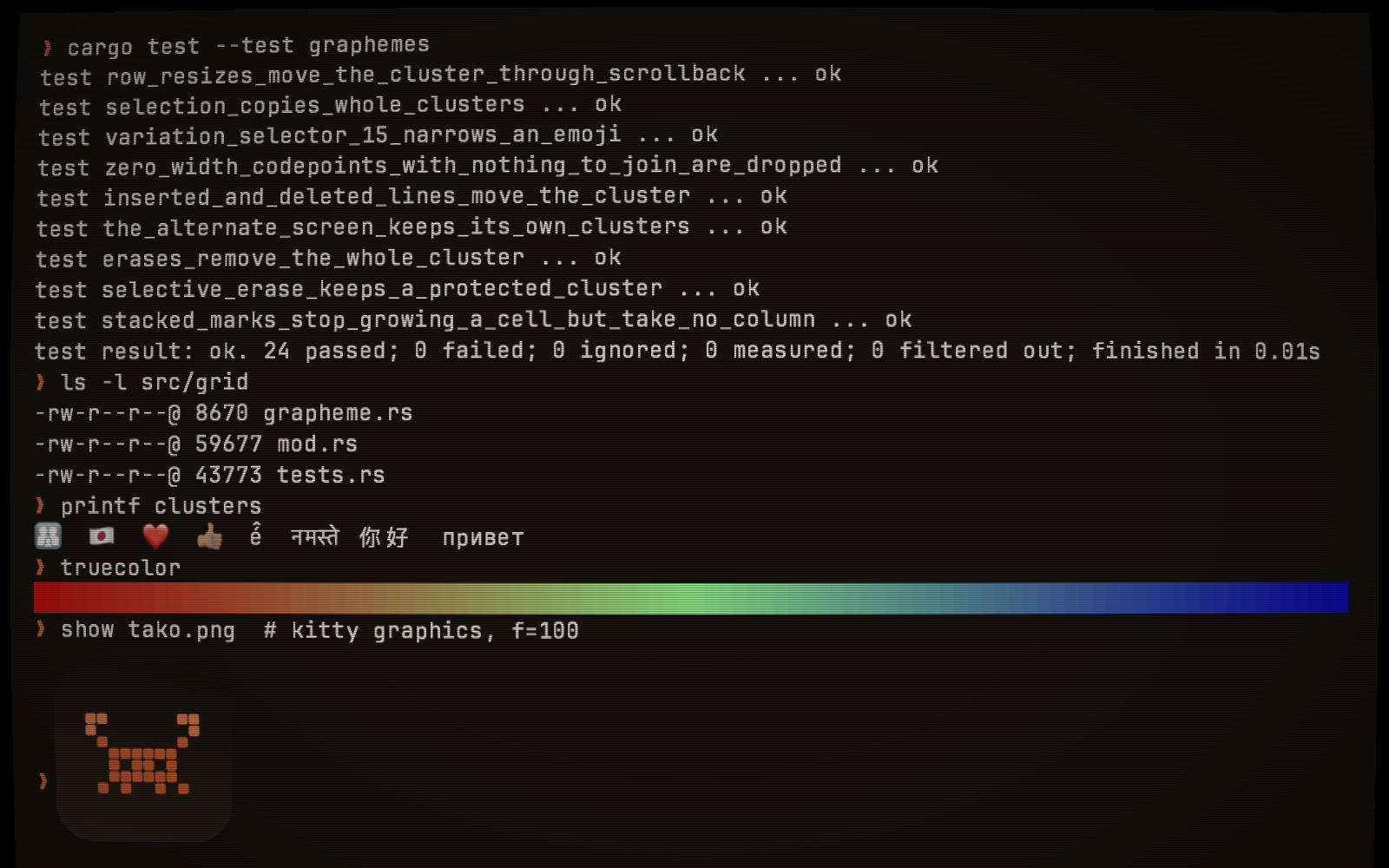
The view also accepts custom post-processing shaders in the Shadertoy dialect of GLSL. They are translated to Metal Shading Language at runtime and run over the finished terminal frame. This is the one in the next picture:
void mainImage(out vec4 fragColor, in vec2 fragCoord) {
    vec2 uv = fragCoord / iResolution.xy;
    vec2 c = uv - 0.5;
    uv = 0.5 + c * (1.0 + 0.06 * dot(c, c));
    if (uv.x < 0.0 || uv.x > 1.0 || uv.y < 0.0 || uv.y > 1.0) { fragColor = vec4(0.0, 0.0, 0.0, 1.0); return; }
    vec3 col = texture(iChannel0, uv).rgb;
    col *= 0.82 + 0.18 * sin(fragCoord.y * 3.14159);
    col *= 1.0 - 0.9 * dot(c, c);
    col += vec3(0.02, 0.01, 0.0);
    fragColor = vec4(col, 1.0);
}
Putting the view in an iOS app
The phone cannot fork a shell, so the engine carries an SSH client, built on russh and
enabled with the ssh feature. The whole integration is:
- a view;
- a delegate that writes the view’s bytes to the connection;
- an event object that feeds the connection’s bytes to the view.
import TakoCoreUI

let terminal = TakoTerminalView(frame: bounds)
terminal.delegate = self

let ssh = SshSession.connect(
    config: SshConfig(host: host, port: 22, username: user,
                      auth: .password(password: password),
                      term: "xterm-256color", cols: 80, rows: 24),
    events: events)   // SshEvents: onHostKey, onKeyboardInteractive, onData, onClosed

// TakoTerminalViewDelegate: everything the user types, already encoded.
func terminalView(_ view: TakoTerminalView, sendInputData data: Data) {
    ssh.send(data: data)
}
func terminalView(_ view: TakoTerminalView, didResizeCols cols: Int, rows: Int) {
    ssh.resize(cols: UInt32(cols), rows: UInt32(rows))
}
// SshEvents.onData(data:) -> terminal.feed(data:)
Two decisions in that API came from real hosts:
onHostKeyreturns aBool, and runs before authentication. Rejecting the key aborts the connection before a password or key signature leaves the phone.onKeyboardInteractiveis a request, not a blocking call. Two-factor hosts ask their questions through it. The app puts a sheet on screen and answers later, from whatever thread the answer arrives on. The transport waits on its own thread, so the terminal keeps drawing.
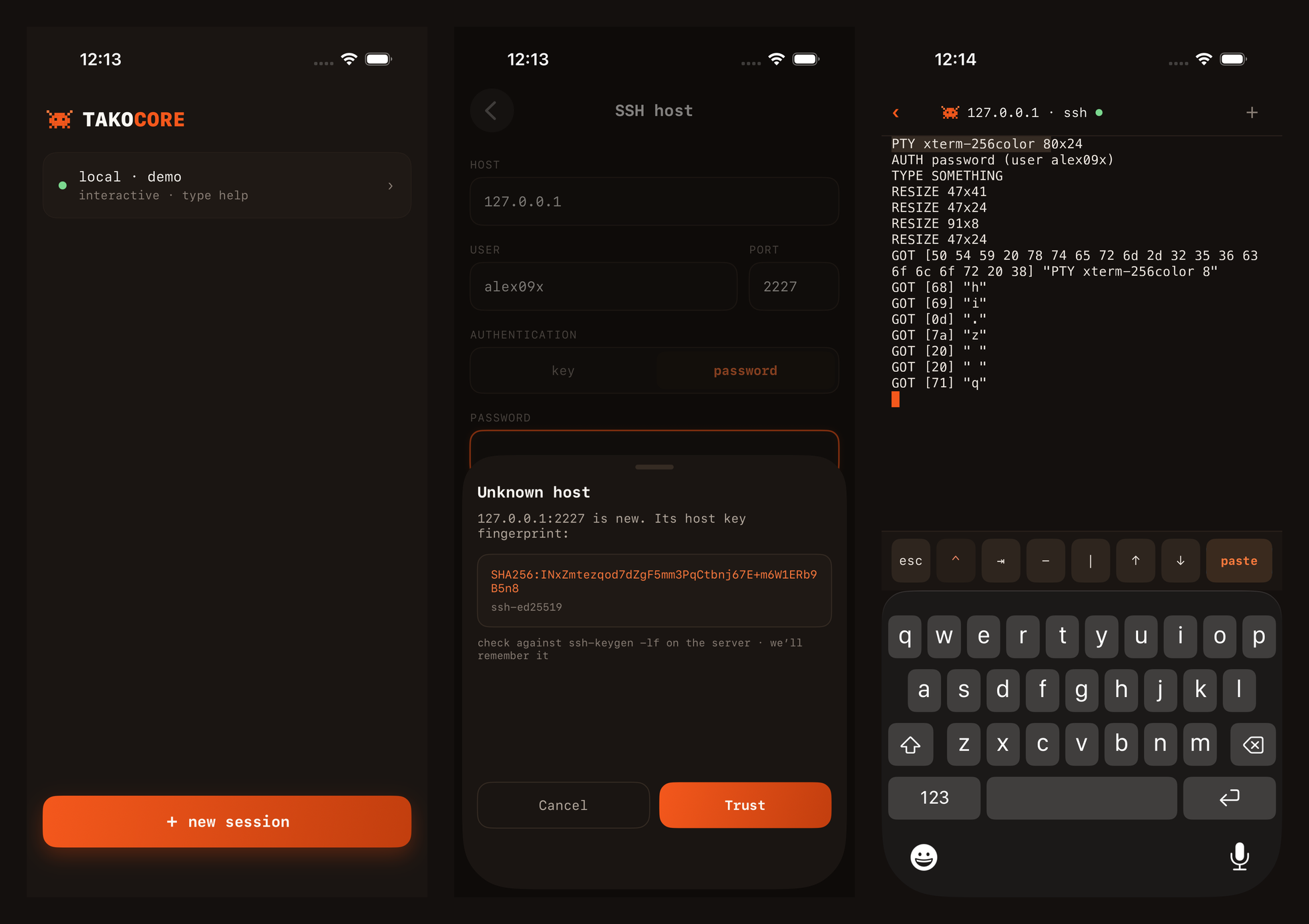
The phone found a bug the Mac had not. While the device rotates from landscape to
portrait, UIKit can briefly lay the view out one row tall. The engine rewrapped to that
geometry and archived the whole screen into scrollback, keeping only the prompt. When the
view grew again, it appended blank rows, and the restored portrait screen showed a lone $.
Now a grid that grows with its cursor at the bottom pulls the adjacent history rows back into view first. It pulls only those rows, and only on the active grid. The first version of the rotation test read the view’s accessibility text and passed. The bug only showed once the check read rendered pixels.
How Prod uses it, and how we test it
The backend links the engine through the C ABI, one engine per PTY. A client attaches in two steps. First it receives one native checkpoint, whose start and end sequence numbers both equal the output boundary it was taken at. Then it receives the raw output bytes that follow, without gaps. There is no ANSI snapshot path left to fall back to. The handshake names the checkpoint version, and a client and a backend that do not share one refuse the session rather than guess.
The Mac client draws its terminals with TakoCoreUI and owns no PTY; its bytes come over the backend’s WebSocket.
- Tab switching. Switching workspace tabs used to destroy the view and download a full checkpoint again on the way back: 4.10 MiB in a 40-second switching test. Each opened tab now keeps its view, engine state and transport. Returning to a tab reuses them and reads only new output.
- Input latency. On the release candidate, with real Claude, Codex and Gemini sessions, we measured 40–80 ms from a physical Space press to the character on screen, and 61–87 ms for Backspace to clear it. That is the whole path: the client, the WebSocket, the backend’s PTY and the agent’s own echo.
The iOS app, Prod Pocket, uses TakoTerminalView the same way.
There is no hosted CI. One test Mac runs scripts/ci.sh, and every source file must stay
at or above 80% line coverage. As of this week that is:
- 1,246 Rust tests. They include 457 parity tests, ported one-for-one from an upstream terminal’s own suite, and 45 recorded PTY sessions from Alacritty’s reference set (vim, tmux running htop, fish, several vttest sections) replayed against approved screens.
- 2,068 Swift tests: 1,553 in Swift Testing and 515 in XCTest.
- 427 view tests on the iOS simulator. The iOS app’s own run adds 114 tests, 13 of them UI flows that drive the app against local SSH servers, one of them OpenSSH.
- 17 end-to-end scenarios on the real macOS app. Key events are posted to the app’s process, and the shell writes files as the witness. They cover typing, Option+Space, editing, control keys, tabs, splits, zoom, resize, paste, copy, quit with a busy process, and config reload.
What it does not do yet
kitten icatshows nothing. The engine stores and draws kitty images: that is the PNG in the first screenshot. But it does not answer the protocol’sa=qquery, soicatconcludes the terminal has no graphics. It also expects every chunk of a transfer to repeat its keys, which the protocol does not require. It ignores thec/rsizing keys, and it does not move the cursor past an image. Until this week it also stored a PNG sent without explicits/vsizes as 0x0 and never drew it. It now reads the size from the PNG header.- No sixel.
- About one ECDSA P-256 key in 256 fails to load. Those are the keys whose private scalar is shorter than 32 bytes, and the SSH key parser we depend on rejects them. Other curves, Ed25519 and RSA are unaffected.
- Emoji on the iOS simulator. A single-codepoint emoji drew as a missing-glyph box in the simulator. We have not yet checked it on a device.
- No signed build. The macOS app builds ad-hoc signed and runs only on the machine that built it. There is no signed or notarized release, and the auto-update settings are accepted but do nothing.
The rule we would keep: move the state, not a picture of it. The ANSI snapshot was right about the characters and wrong about the terminal.
Cite this article
Alexander Panasenko (2026-09-24). One terminal engine for the server, the Mac and the phone. https://prod.codes/blog/one-terminal-engine-three-places/